The Sales Team had a book of samples that they sent to clients and prospects, but it frequently needed updates that they could not implement because the document was made in InDesign, which they did not have installed and were not trained to use.
How could we make a book that they could edit and print on their own schedule?
Moving an InDesign document to PowerPoint
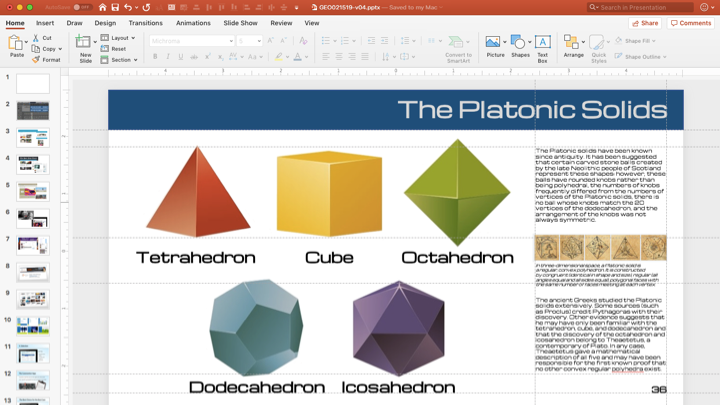
While PowerPoint is first and foremost a presentation platform, it serves as a surprisingly agile way to put together documents like brochures that have layouts hard to replicate in Word. In Word, the document flow (and the page count) changes with the content, but in PowerPoint you can place things on each slide where you want them.
We started with an 11″ x 17″ custom template and set up the Master slides the way a document would be, with page headers and footers, then defined columns and placeholders where the copy and images would go.
It’s an interesting thought experiment to go back and forth between document and presentation modes of a narrative, noticing which elements translate neatly or require adaptation.
Why you might want to do that:
- You have numerous team members who need to update the document contents.
- Tight deadlines and fresh opportunities call for quick changes.
- You have the capability to bind the finished documents (like comb or thermal binding).
- You have ready access to high resolution images that the team can place in the document.
Why you might not want to do that:
- Quality control: Will the design team be able to review before release?
- You need more precise or complex control of paragraph and font formatting.
- The document flow will be changing across pages enough to make edits complicated.
- The document is text-intensive or has complex graphics.
Truthfully, there are many situations that would not warrant porting a high-end InDesign document over to PowerPoint. It’s a very condition-dependent situation that could be a breath of fresh air if it’s right for the project, but a rough road if taken for the wrong reasons.
Fortunately, it’s the kind of thing you can test on your own without taking up extra resources. Bearing in mind that the graphics would be temporary, you could copy and paste images and text from InDesign or a PDF of the document to test the waters. Another caveat: Content copied from PDFs can have some serious wonkiness. Images can be split, and lines of text may be perforated to keep the words in the right place. It’s not ideal. One possible route to smooth this step is to export the PDF as a PowerPoint or Word file, though even this method doesn’t guarantee perfect formatting. Such is the lot of the production artist.
The project that did work out was the collateral template. The company’s [look books] were mostly in InDesign, a professional desktop publishing platform that has a learning curve unappealing to the Biz Dev team. I did teach them the basics, but this was not going to be the way.